
Features
The full platform, on servers you own
Nixploy covers the loop operators actually run: build, ship, expose, observe, alert, recover and automate, on Swarm and Traefik you control.
At a glance
Sources
Git · image · zip
Builders
5 builders
Databases
Postgres → Redis
Templates
146 one-click
API surface
REST · CLI · MCP
Edge
Traefik v3 + LE
01Deploy & build
Ship from Git, an image, or a zip — builders you choose per app.
Nixploy queues builds, streams logs live, and rolls Swarm services so a bad deploy never knocks the healthy revision offline. Preview environments attach to pull requests with a fork approval gate.
Read the guide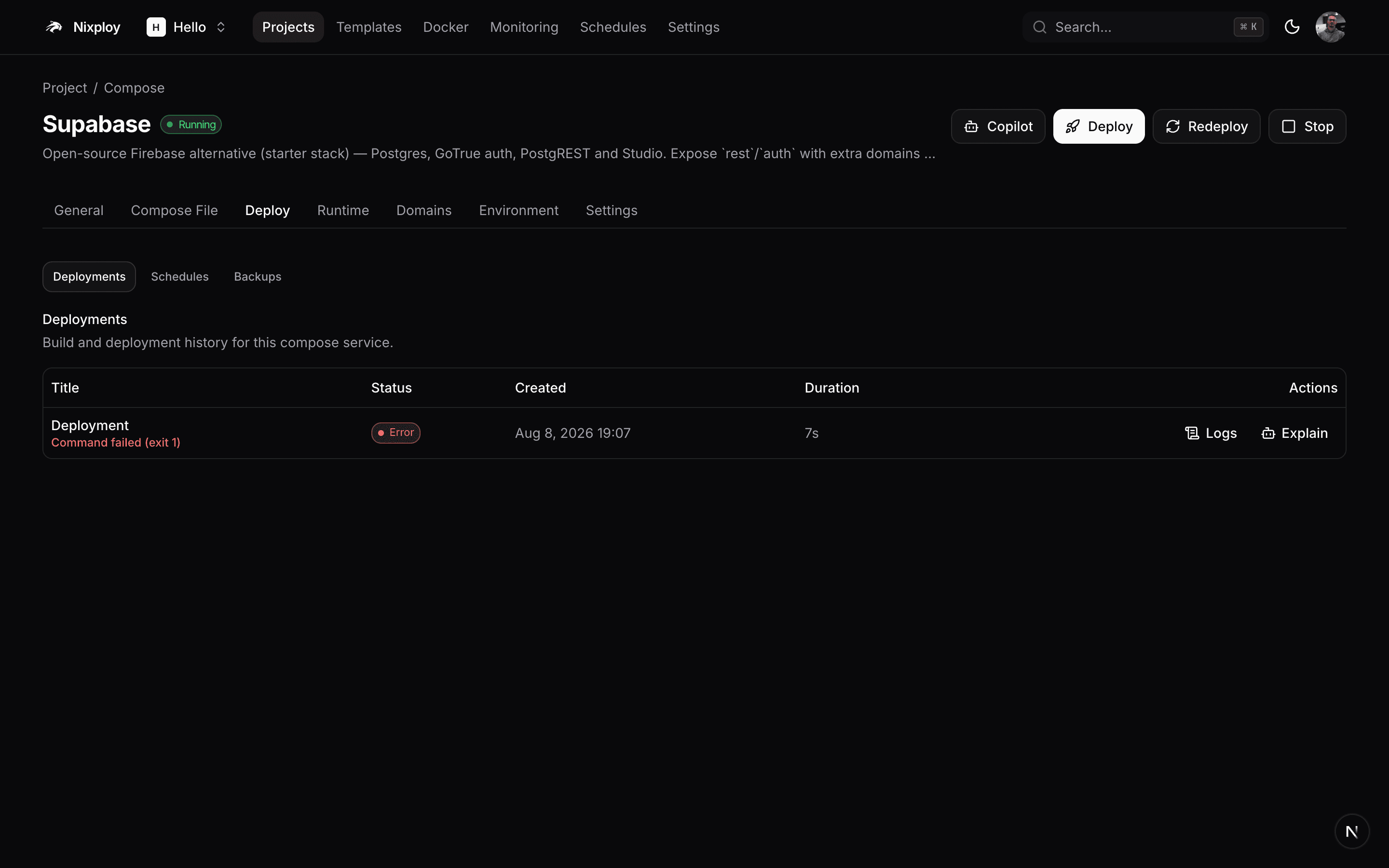
Git providers
GitHub, GitLab, Bitbucket, Gitea, and generic Git — OAuth or tokens, webhooks for push and PR events.
Sources
Clone a repo, pull a Docker image (with registry credentials), or upload a zip. Switch sources without recreating the service.
Builders
Nixpacks, Railpack, Dockerfile, Cloud Native Buildpacks, or static → nginx. BuildKit cache keeps rebuilds fast.
Deploy queue
Cancelable jobs with live websocket logs. Interrupted deploys recover cleanly after panel restarts.
PR previews
Ephemeral apps per pull request with auto domains. Fork PRs wait for an explicit approve/deny gate (collaborator checks across providers).
Rollbacks
One-click rollback to any prior image/revision. Swarm rolling updates keep the previous task set online on failure.
02Data & compose
Databases you can restore, stacks you can own.
Five engines with connection strings in the panel, scheduled dumps to S3-compatible storage, volume backups for named volumes, and an instance self-backup that captures the panel database plus Traefik/ACME/SSH config.
Read the guide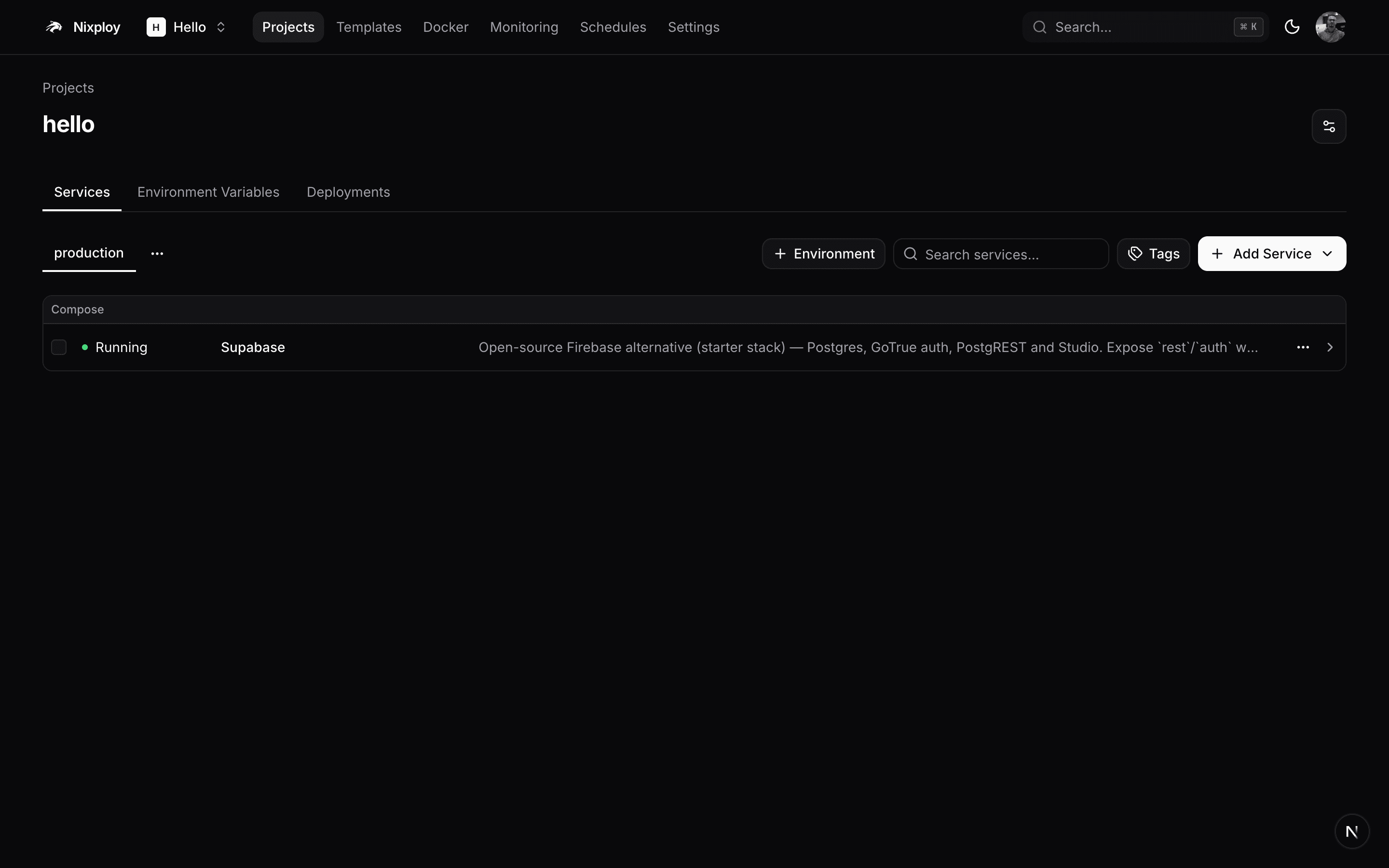
Engines
PostgreSQL, MySQL, MariaDB, MongoDB, and Redis — each a first-class service type.
Database backups
Cron schedules to destinations (S3, MinIO, R2, …). Run now, download, or restore from the UI.
Volume backups
Snapshot named volumes used by apps and compose stacks on a schedule.
Instance backup
Back up Nixploy itself — panel Postgres plus config under the Nixploy data dir — so you can rebuild a host.
Compose / Swarm
Paste or generate a compose file, deploy as stack or compose, attach domains, stream logs, and keep the file editable after deploy.
Environments
Projects split into environments with their own variables, domains, and history. Clone services across environments.
03Edge & TLS
Traefik routes every public hostname. Certificates stay boring.
Nixploy writes Traefik dynamic YAML for you. Attach domains per service, pick Let's Encrypt or a custom cert, add redirects and basic-auth — then smoke-test on free *.traefik.me hosts before DNS is ready.
Read the guideTraefik v3
File-provider config under the Nixploy config dir — no hand-editing YAML for routine domain work.
Certificates
Let's Encrypt ACME for production domains, plus upload/manage custom certificates.
Middlewares
HTTP→HTTPS redirects, path redirects, and basic-auth security rules per app.
traefik.me
Generate free smoke-test hostnames that resolve to your server without buying DNS.
Panel domain
Point a hostname at the Nixploy UI itself and terminate TLS the same way as apps.
04Observability
Logs, metrics, terminals, alerts — tied to real containers.
Watch build and runtime logs over websockets, sample CPU/memory/network/disk every 30 seconds with 48 hours of history, open a web terminal, and page your team when thresholds or uptime probes fail.
Read the guide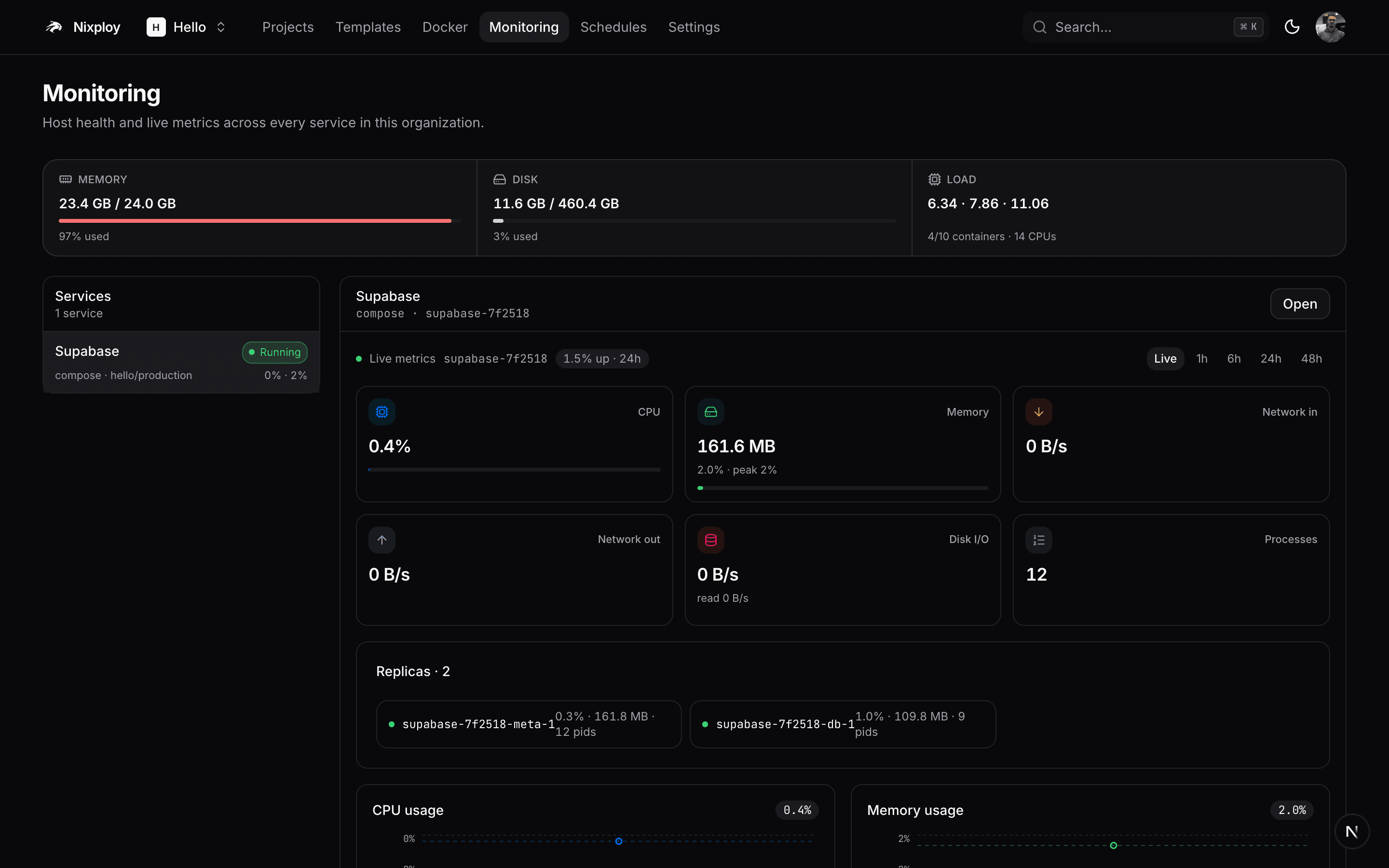
Live logs
Build output and container stdout/stderr with follow, search, and download.
Metrics history
Per-service and host samples locally and over SSH for remote Swarm nodes. Fleet overview in one place.
Web terminal
Exec into running containers from the browser when you need a shell.
Alert rules
Thresholds on CPU, memory, and related signals — routed through notification channels.
Uptime & incidents
HTTP probes, incident timeline, and acknowledgment workflow for on-call clarity.
05Team & security
Organizations with real roles — not a shared admin password.
Invite members into owner, admin, deployer, member, or viewer roles, then layer capability overlays for secrets, domains, GitOps, Docker, and AI. Secrets stay encrypted at rest; the audit log records what changed.
Read the guideRoles
Owner → admin → deployer → member → viewer, enforced on destructive mutations.
Capabilities
Twenty-five overlays to grant or deny slices like secrets, domains, gitops, AI, and docker control.
2FA
TOTP for users, plus org-wide require-2FA so sessions without MFA cannot use the panel.
Secrets
Env vars, DB passwords, registry tokens, and API credentials use encrypted columns.
Audit & quotas
Mutation audit trail, per-org resource quotas, and white-label branding knobs.
Notifications
Slack, Discord, Telegram, email, Gotify, ntfy, Pushover, Mattermost, Lark, Teams, and generic webhooks.
06Automate
Same API for humans, CI, the CLI, and agents.
Every tRPC procedure is also REST at /api/<router>.<procedure>. OpenAPI/Swagger lives on your panel. The CLI and MCP server share that surface so automation stays consistent.
Read the guideREST + Swagger
x-api-key auth, GET for queries / POST for mutations. Interactive docs at /swagger on your instance.
@nixploy/cli
Login, doctor, projects, apps, compose, templates, gitops — installable as a public npm package.
GitOps
Export, plan, apply, and sync nixploy.yaml so environments stay declarative in git.
MCP
POST /api/mcp with your API key — list projects, deploy, inspect status from Claude, Cursor, and other MCP clients.
Schedules
Cron jobs for app/compose redeploys and host commands — alongside backup schedules.
07Infrastructure
One Swarm today. More servers when you need them.
Start on a single Docker Swarm manager. Add remote nodes over SSH, place services with constraints, manage the daemon from the Docker control center, and update the panel from GHCR without SSH gymnastics.
Read the guide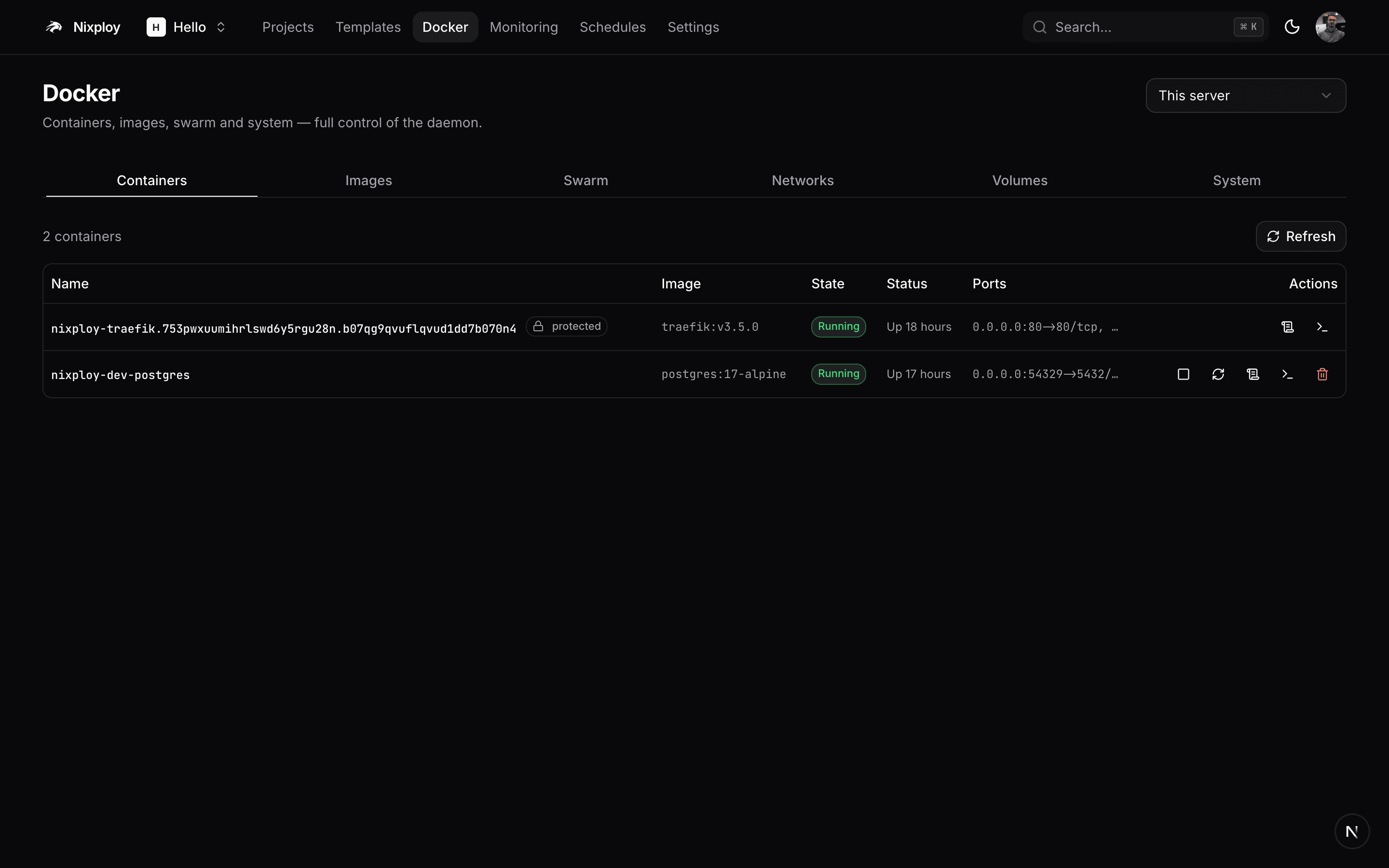
Remote servers
SSH keys in the panel, join the primary Swarm, see capacity and live stats per node.
Placement
Constraints and capacity-aware placement so databases and apps land where you intend.
Docker control center
Containers, images, volumes, networks, Swarm nodes, and prune — without leaving Nixploy.
Registries
Private registry credentials for pulls and pushes used by builds and image sources.
Updates & doctor
In-app GHCR updates for the panel stack, plus doctor checks for Swarm, Traefik, and health.
08AI & catalog
Deploy Copilot when you want help. Templates when you want speed.
Bring your own model key. Copilot explains failed deploys, chats with confirm-gated mutations, and generates compose files. The catalog ships 146 stacks across 15 categories with CI-checked image tags.
Read the guide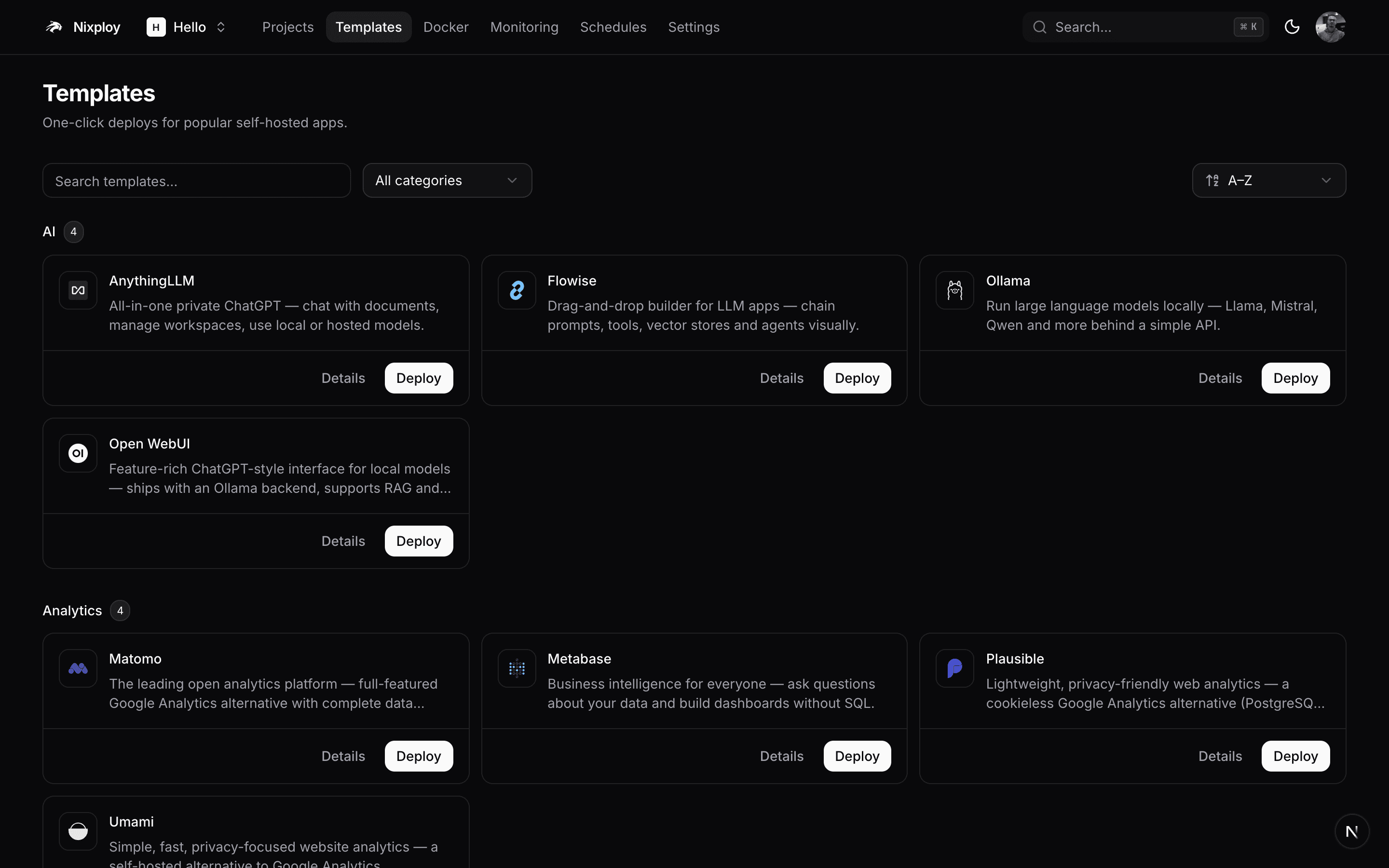
Explain failures
Paste or select a failed deployment and get a grounded explanation of the log tail.
Confirm-gated chat
Copilot can propose actions; destructive steps require explicit confirmation.
Generate compose
Describe a stack in natural language and get an editable compose file in the panel.
Template catalog
Supabase, Plausible, Ghost, Uptime Kuma, Ollama, and dozens more — you own the compose after deploy.
CI-checked tags
Template image references are validated in CI so stale tags get caught before users do.
Self-hosted without giving up the product surface
No usage-based bill for deploys. No black-box edge. Your Swarm, your Traefik, your encryption key, with a panel that still has GitOps, MCP, Copilot, previews and instance backup.
- Apache-2.0 · self-host forever
- Single Node process + Postgres + Traefik
- Org tenancy from day one
- Encrypted secrets at rest
- OpenAPI on your panel, not a SaaS gateway
- Migrate from another panel with a concept map
Deep guides: Docs · API reference · GitHub · Migrate